
Game Boy Hardware Explained, Part 6: Connectivity and the Link Port

Updated: 18 hours ago
On the right-hand edge of the Game Boy, under a small rubber flap, sits a little trapezoid socket that is easy to overlook. It does nothing on its own. But plug a cable into it, run that cable to a second Game Boy, and something quietly historic happens: two handhelds become one shared world. That socket, the Game Link port, is how the Game Boy stopped being a solitary toy and became social. It made two-player Tetris a playground obsession, it made trading Pokémon not just possible but necessary, and decades later it is how people turn the console into a printer, a MIDI instrument or a label maker. This final part of the series opens up that port and the world it connects to.
Six pins and a very simple conversation
The link port is a small connector carrying six pins. Their roles are modest: one supplies a little power, one is the ground reference, one is the line this console uses to send data, one is the line it uses to receive data, one is a shared clock, and the last is a spare line used by certain accessories. That is genuinely all it is: no network, no clever protocol, just a handful of wires.

The way two Game Boys talk over it is just as simple. One console becomes the master and sets the pace by sending out a steady tick on the clock line; the other becomes the slave and follows that tick. On each tick, the two machines swap a single bit: as one sends a bit out of its “send” line, it receives a bit on its “receive” line at the same instant. Do that eight times and the two consoles have traded a full byte. It is a plain, synchronous serial link, the same basic idea computers had used for decades, and its very simplicity is why it was cheap, reliable and easy for developers to build on.
The cable that changed the games
The accessory that brought the port to life was the Game Link Cable: a simple lead with a plug at each end. Its first great showcase was Tetris, bundled with the console in much of the world, which let two players race each other head-to-head and send junk lines into each other's wells. For a huge number of people this was the first time they had ever played a video game directly against a friend on handhelds, and it turned the Game Boy into something you wanted a second of.
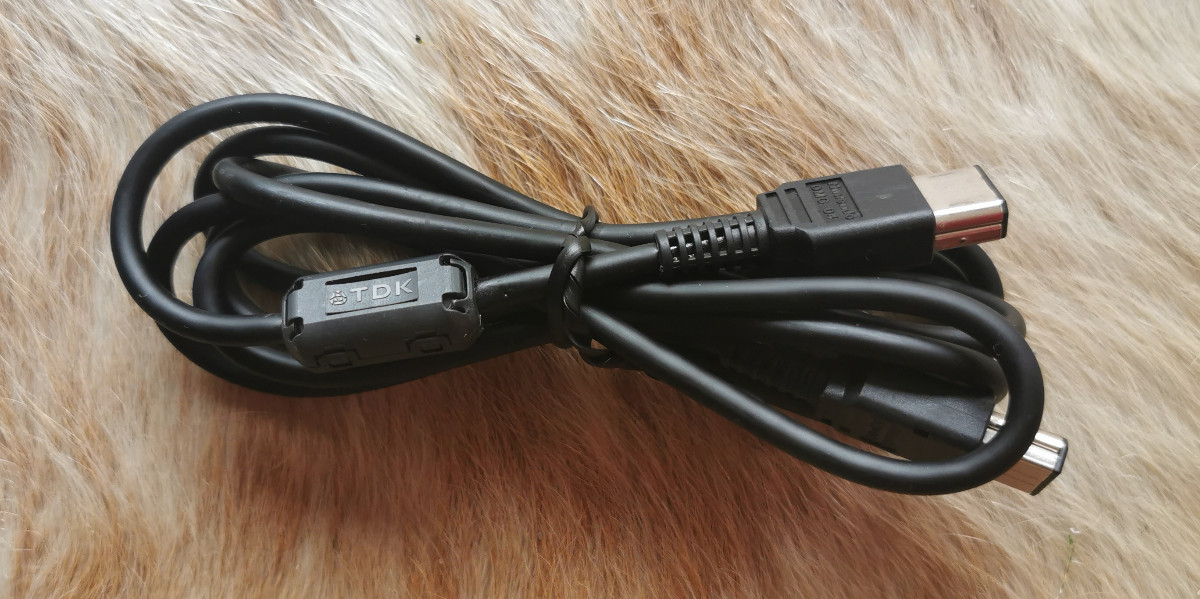
But the link cable's defining moment came later, with Pokémon. The entire design of those games rested on the port: certain creatures could only be obtained by trading them from one cartridge to another over the cable, which meant completing the collection was impossible alone; you had to connect with another player. Two children linking their Game Boys to trade and battle is one of the defining images of the 1990s, and it was all carried over those same six little pins. It is no exaggeration to say the link port helped turn Pokémon into a global phenomenon.
More than two players
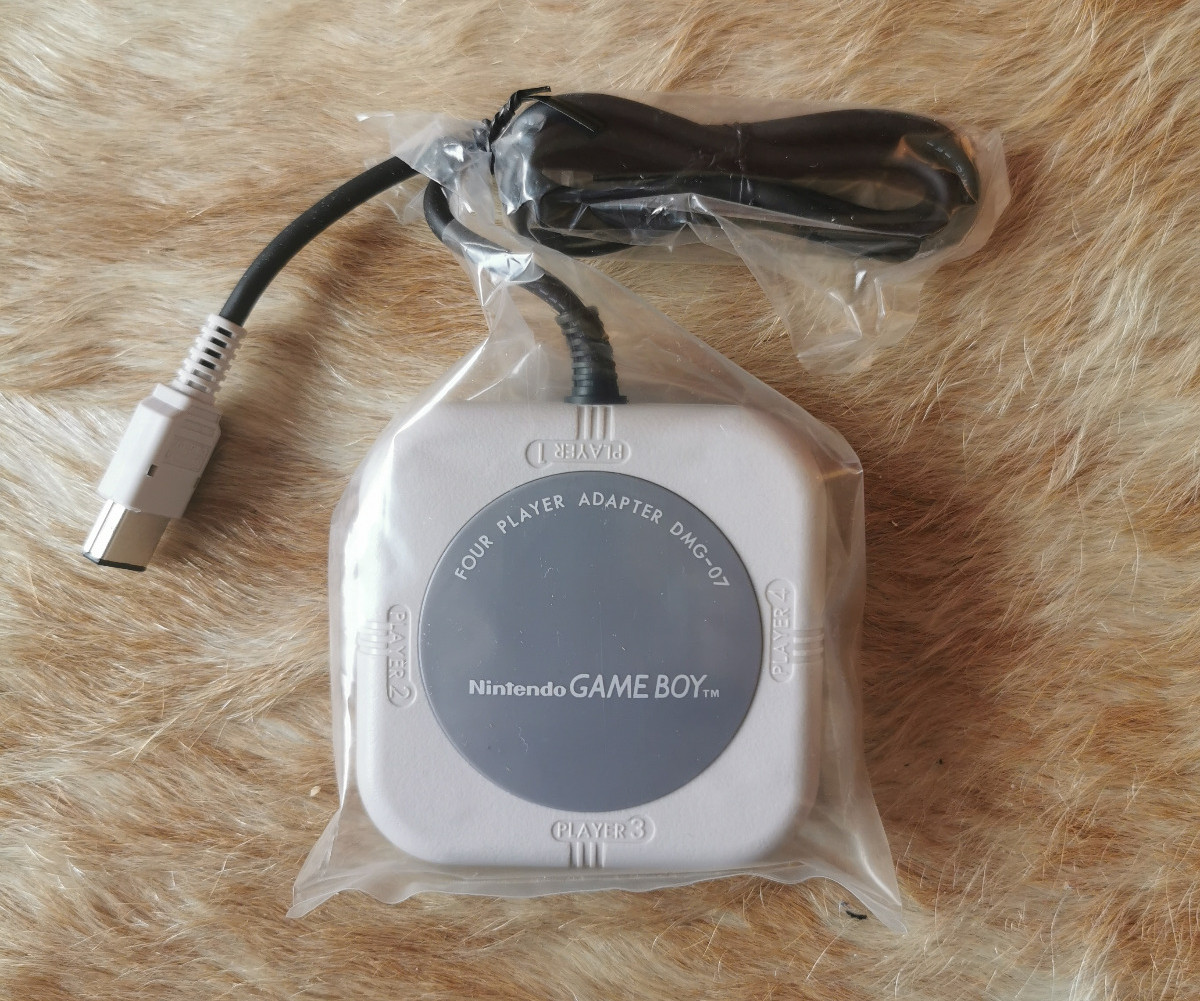
Because the link was so simple, it could be extended. Nintendo sold a Four Player Adapter that let up to four consoles join a single game, and a handful of titles supported it for larger multiplayer sessions. The cable itself also evolved with the hardware: the original Game Boy used a larger connector, while the later, smaller Game Boy Pocket and Game Boy Color switched to a slimmer socket, so a little adapter was often needed to bridge an old console to a new cable. Underneath, though, it was the same conversation of ticks and bits.
The port that keeps finding new jobs
What makes the link port quietly remarkable is that games were only the beginning. Because it is just a generic serial connection, anything that can speak the same simple language can plug in, and over the years an extraordinary range of devices has. Nintendo itself used it for the Game Boy Printer, which received images over the cable and printed them on rolls of thermal paper. Modern makers have taken the same port much further: it can drive a label maker, and it can be turned into a bridge that lets the console play and control studio equipment as a MIDI instrument. A socket designed in the 1980s so two children could race at Tetris is still, decades later, finding brand-new things to connect to.

The end of the tour
That little trapezoid socket is a fitting place to end this walk through the hardware. On its own it is six dead pins under a rubber flap. Connected, it is the difference between a toy you play with and a world you share. Across this series we have taken the grey brick apart piece by piece: the shell and controls, the main board and processor, the screen, the sound and the power. In every part we found the same idea: simple, seasoned, well-chosen technology, used cleverly. The link port is simply the last and most sociable example. If you have followed the whole tour, you now know the Game Boy not as a grey box but as a collection of brilliantly modest decisions, and that is exactly what made it last.
Specifications at a glance
Property | Specification |
|---|---|
Port | Serial Game Link port, right edge |
Pins | 6 |
Signals | Power, ground, serial out, serial in, clock, 1 spare |
Protocol | Synchronous serial, master / slave |
Internal clock rate | 8192 Hz (about 1 KB/s) |
Link cable | Game Link Cable (DMG-04) |
Max players | Up to 4 via the Four Player Adapter (DMG-07) |
Connector change | Larger DMG plug; slimmer on GBP / GBC (adapter needed) |
Other uses | Game Boy Printer and other serial devices |
The Series
Overview · Part 1: The Shell, Buttons and Controls · Part 2: The Main Board and the Sharp Processor · Part 3: The Screen · Part 4: Sound · Part 5: Power · Part 6: Connectivity and the Link Port (you are here)


Comments